
How to Make a Watercolor Portrait of Your Pet
Watercolor softens edges and blends color, so name the features that distinguish your animal before asking for a painterly look. This guide uses a border collie example and shows how to keep its markings and accessories visible.
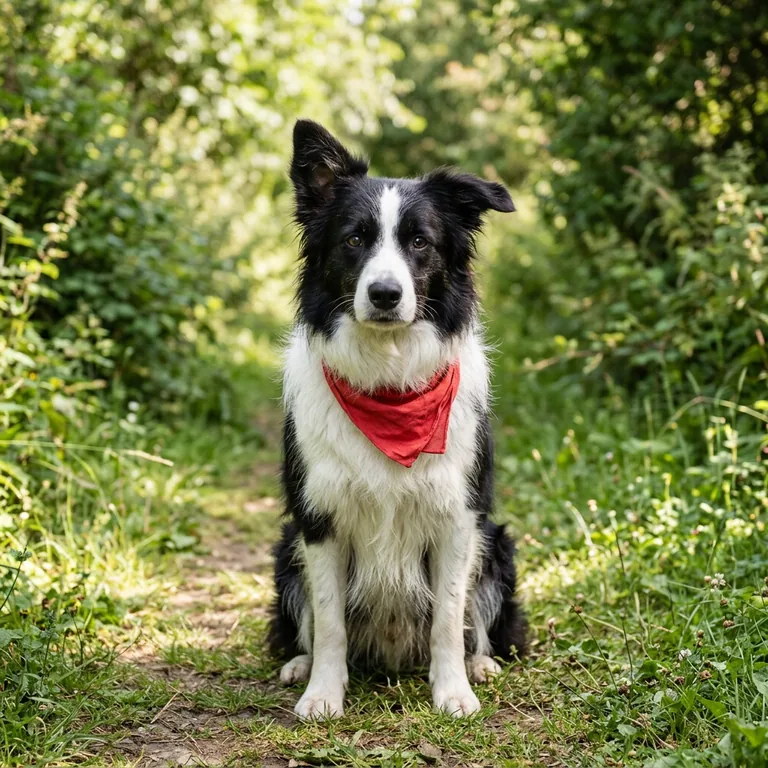 Original photo
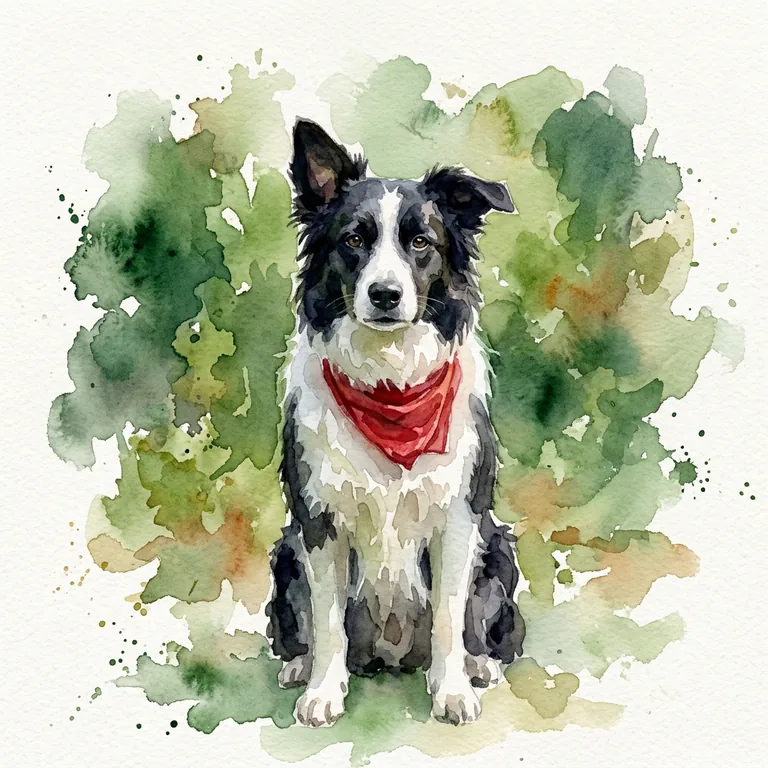 Watercolor example
In this example, compare the black-and-white coat, floppy ear, red kerchief and seated pose. Those are more useful checks than asking whether the result simply “looks like watercolor.”
Choose a photo that shows the identifying details
Use a sharp image where the face, coat pattern and body position are visible. If a patch or marking is hidden by shadow, fur or cropping, take another photo or describe the visible details carefully. Keep the background simple when you want the animal to hold the viewer’s attention.
The prompt used for this example
This is the exact prompt attached to the published border collie result:
Paint this dog in watercolor on lightly textured paper. Preserve the black-and-white markings, floppy ear, red kerchief and seated pose. Use expressive green washes and leave patches of white paper.
It names the subject and specific details instead of relying on a general instruction to preserve identity. It also gives the paint treatment a direction through green washes and areas of untouched paper.
A reusable prompt for another pet
For a different animal, replace the subject and list its visible traits in the same sentence. This is the reusable starting prompt shown with the homepage example:
Paint this pet in watercolor on lightly textured paper. Use soft washes and leave touches of paper visible. Keep the pet’s own markings, coloring, proportions and pose.
Make the keep-list specific to your photo. For example, name a white blaze, dark muzzle or folded ear rather than adding broad style adjectives.
Review the result feature by feature
- Compare coat patches and face markings with the original.
- Check that the ear shape, accessory and pose remain in place.
- Look at the paper and wash texture separately from the pet’s likeness.
If one feature changed, use a follow-up instruction that identifies it directly, such as preserving the red kerchief and the white chest patch. A related layered paper-cut pet template also calls out silhouette and markings, though it uses a different illustration style.
Try the reusable prompt with your photo
Open the editor, upload a pet photo, then paste the reusable prompt above into the instruction field. Replace the general keep-list with the markings or features visible in your own image, and compare the result with the source.